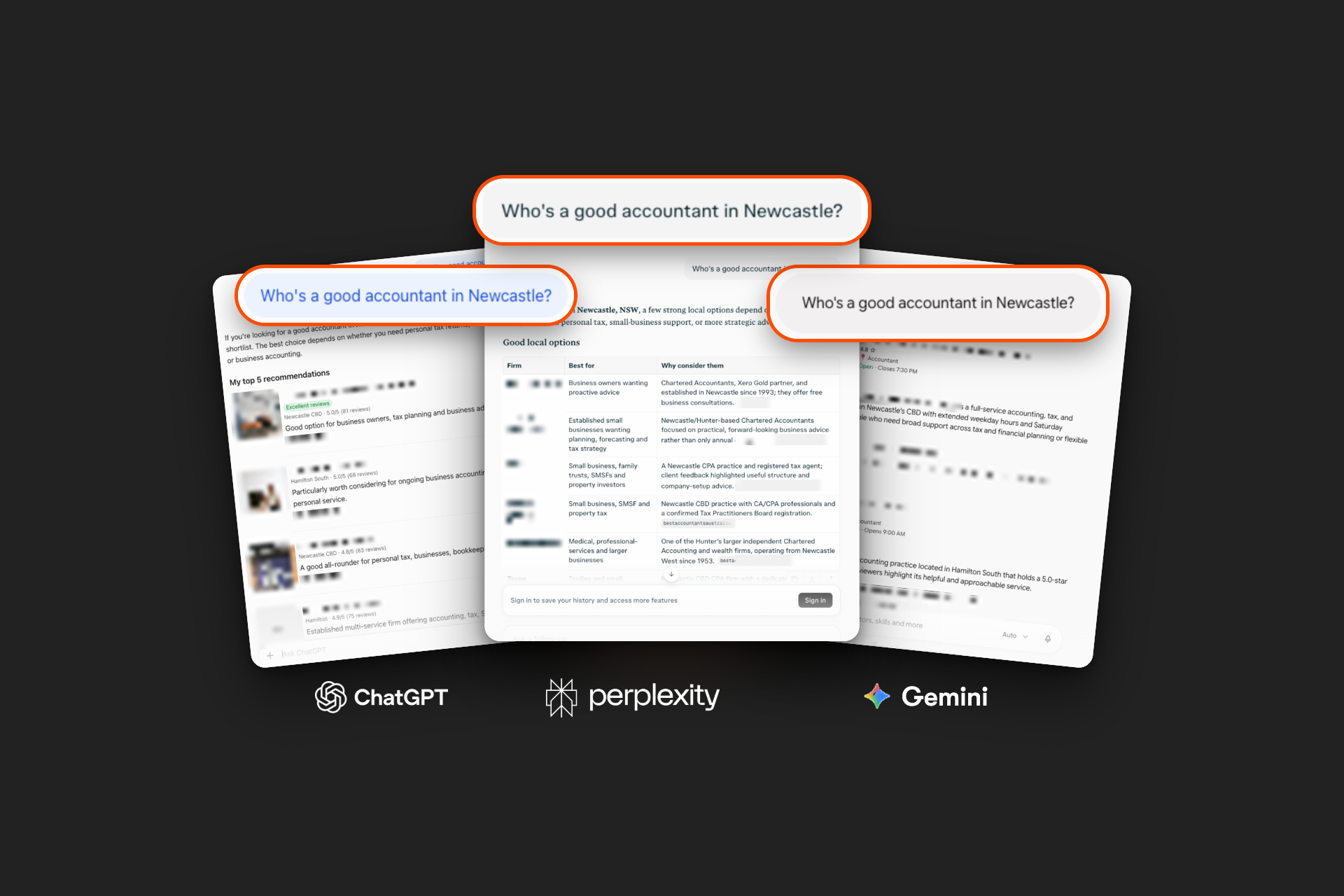
Try this before you read on. Open ChatGPT, Copilot or Google’s AI Mode and type the kind of question your customers ask. Something like “who’s a good accountant in Newcastle?” or “best wedding venues in the Hunter Valley”.
Did your business come up? Did your competitors? And where did the answer get its information from?
That one test says a lot about where your website stands heading into 2027. More people are asking AI tools for recommendations before they scroll through a list of search results. The businesses that show up in those answers are the ones AI can find, read and trust.
Here’s what’s changed, and what I’d check on your website first.
AI answers have moved into buying decisions
When Google’s AI Overviews first rolled out, they mostly showed up for simple “what is” questions. That’s changed fast, and Australians are right in the middle of it.
Telsyte’s 2026 AI study found 77% of Australians aged 16 and over now use AI tools. 12% say AI is their main way of finding information online, up from 5% a year earlier.
It’s shaping what people buy too. In a WPP Media survey of 2,500 Australians, about three in four said they use AI search to help make purchase decisions. 58% use the AI summaries in search results, and 40% go straight to tools like ChatGPT, Gemini or Claude.
So when someone is weighing up their options, there’s a good chance an AI summary is the first thing they read. Being in that answer matters: 82% of buyers in the WPP Media study said they’re more likely to trust a brand that appears in AI results.
What AI tools look at
AI tools don’t pick businesses at random. They pull from what they can find and understand: your website, your Google Business Profile, reviews, directories, news articles and other sites that mention you.
If your website is vague about what you do, or hard for a machine to read, AI has less to work with. If your site and other sources describe you clearly and consistently, you have a better shot at being included.
So this is a website question as much as a marketing one.
It’s also a different job from ranking on page one. Traditional SEO gets you into a list of links. Being part of an AI answer means your content has to be clear enough to quote and trusted enough to recommend. We’ve explained the difference in more detail in AEO vs GEO: why your SEO strategy needs both.
7 things to check on your website
- Ask AI about your category. Run the test above in a few different tools, and ask each question more than once. Answers change from one go to the next, so treat a single result as a snapshot. Note who shows up and which sites get cited.
- Make your services impossible to misread. Each main service should have its own page that says what it is, who it’s for and where you offer it. “Solutions for every need” doesn’t tell AI (or a person) anything. A single “Services” page listing ten things in bullet points is one of the most common gaps we see. If you work across several towns or regions, name them in plain words rather than relying on a map embed.
- Answer the questions customers actually ask. Think pricing guides, “how long does it take?”, “what’s included?” and comparisons between options. AI answers are built from content that answers questions clearly. If your site doesn’t answer them, someone else’s page will. Your inbox is a good place to start: the questions customers email or ring about are often the same ones they’re typing into ChatGPT. Answer each one in a sentence or two near the top of the relevant page, then add the detail underneath.
- Add structured data. Schema markup is code that tells search engines and AI tools the facts about your business: your name, location, services, opening hours and contact details. Visitors never see it, but machines read it. Most WordPress SEO plugins cover the basics, but service, FAQ and local business details usually need setting up properly. Our guide to schema markup and structured data strategy explains what’s worth adding.
- Check you’re not blocking AI by accident. Some security plugins, firewalls and robots.txt settings block AI crawlers like OAI-SearchBot (ChatGPT search) and PerplexityBot. Sometimes that’s a deliberate choice. Often nobody realises it’s switched on. It’s also worth knowing that GPTBot, the one most people have heard of, is OpenAI’s training crawler. Blocking it is a separate decision and doesn’t stop ChatGPT search from finding you. We’ve covered this in more detail in GPTBot and your website.
- Keep key content easy to reach. Information hidden in PDFs, text inside images or content that only loads through JavaScript is harder for some crawlers to read. Collapsed sections like accordions are usually fine, as long as the text is already in the page. Put what matters in plain text on the page.
- Keep your details consistent everywhere. Your business name, address, phone number and services should match across your website, Google Business Profile, socials and directories. Mixed signals make it harder for AI to be confident about who you are. An old address on a directory listing, or a service you stopped offering years ago, can be enough to muddy the picture.
The honest bit: this is hard to measure
There’s no single score that tells you how visible you are in AI yet. Plenty of tools promise one, but AI answers shift depending on how the question is worded, which tool you use and even when you ask.
What you can do is track it consistently. At HyperWeb, citation tracking comes through our keyword tracking software, and we report on it monthly. One answer is an anecdote. A pattern over several months tells you something useful.
If you’d rather do it by hand, here’s what that looks like in practice. Say you’re a builder in Maitland. You might track ten questions, like “best home builders near Maitland” and “who builds granny flats in the Hunter”. Each quarter, you run every question three times in each tool and note whether you appear, where you sit in the answer and which sources get cited. After two or three rounds, you’ll know whether your changes are making a difference, or whether a competitor is pulling ahead.
Pair that with numbers you already have, like enquiries, Search Console data and where new customers say they found you. You’ll get a clearer picture than any one score can give you.
Where to start
If 2027 is the year you want to get on top of this, start with the test at the top of this post. Then work through the checklist, beginning with your service pages.
You don’t need to fix all seven at once. Clear service pages and plain answers to common questions do most of the work, and they help human visitors just as much as AI.
Want a second pair of eyes? Our free AI Readiness Review looks at how your business shows up across AI tools and what to fix first. Get in touch and we’ll take you through it.
Frequently asked questions
How do I check if my business shows up in AI search?
Open ChatGPT, Copilot or Google’s AI Mode and type the kind of question your customers ask, like “who’s a good accountant in Newcastle?”. Ask each question more than once, in a few different tools, because answers change from one go to the next. Note who shows up and which sites get cited.
Can my website be blocking AI tools without me knowing?
Yes. Some security plugins, firewalls and robots.txt settings block AI crawlers like OAI-SearchBot (ChatGPT search) and PerplexityBot, and often nobody realises it’s switched on. Blocking GPTBot, OpenAI’s training crawler, is a separate decision and doesn’t stop ChatGPT search from finding you.
Is there a score that measures AI visibility?
Not a reliable one yet. AI answers shift depending on how the question is worded, which tool you use and even when you ask. The better approach is to track the same questions consistently and review them on a set cycle. We report ours monthly, and pair it with enquiries, Search Console data and where new customers say they found you.
What should I fix first?
Start with your service pages. One page per service, saying plainly what it covers, who it’s for and where you work. Then answer the questions customers actually ask, on the pages where they would look. Both changes help human visitors just as much as AI.
By Josie Small, HyperWeb.